
The AP That Never Woke Up Properly
https://www.linkedin.com/pulse/ap-never-woke-up-properly-jarryd-de-oliveira-awmzf
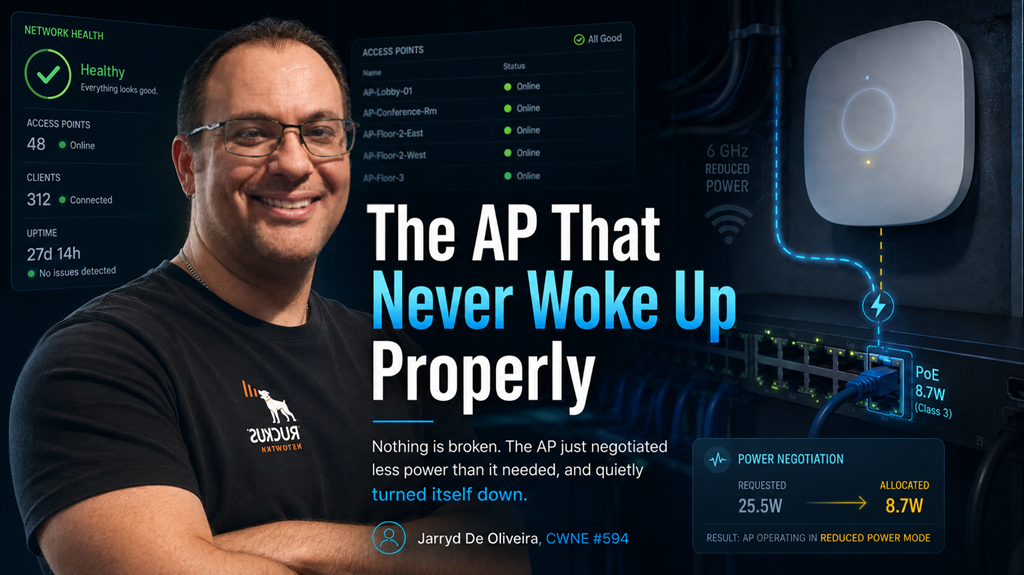
Nothing is broken. The AP just negotiated less power than it needed, and quietly turned itself down.
This is the ticket that survives every round of troubleshooting because nothing ever looks wrong.
One access point underperforms.
Clients connect, but throughput is poor. Coverage feels smaller than the design said it would be. Maybe the 6 GHz radio is missing entirely, or a second radio never appears at all. USB ports do nothing.
Everything is green. The AP is up. The controller is happy. The logs are quiet.
Somebody replaces the AP. Same behaviour on the new one.
Somebody replaces the cable. No change.
Here is the thing nobody checked:
The AP is doing exactly what it was designed to do when it cannot get the power it asked for.
It came up, negotiated what was available, and then turned parts of itself off.
Not a fault. A budget decision, made in a switch closet, by a device that never told anybody.
Powered devices negotiate. They do not demand.
Power over Ethernet is not simply "power arrives down the cable".
It is a negotiation between the Power Sourcing Equipment, usually a switch, and the Powered Device, in this case the access point.
The AP identifies what it needs. The switch determines what it can provide through PoE classification and, on many platforms, additional negotiation such as LLDP.
If the AP cannot obtain the power required for full operation, it may fall back to a reduced-power mode rather than simply refusing to boot.
And that is the part that creates this ticket.
A modern AP is not one fixed power draw. It is a collection of features with different appetites: multiple radios, higher spatial streams, multi-gigabit Ethernet, USB, Bluetooth or IoT radios, and sometimes a dedicated scanning radio.
When the allocation comes up short, the AP does not necessarily fail.
It degrades.
Deliberately, and sometimes remarkably quietly.
Depending on the platform, an underpowered AP may:
- Disable a radio entirely, often the newest band.
- Reduce the number of spatial streams, cutting maximum throughput.
- Reduce transmit power, shrinking the cell and undermining the coverage design.
- Disable USB ports and auxiliary features.
- Disable dedicated scanning or security radios.
- Restrict multi-gigabit Ethernet behaviour.
Every one of those looks like a wireless problem to the user.
Very few of them immediately look like a power problem.
The three places the power goes missing
The switch never offered enough
The most common cause is simply the wrong PoE standard for the AP.
An older switch port providing 802.3af PoE cannot provide the same power as 802.3at PoE+ or 802.3bt PoE++.
The AP may still boot.
It will just boot smaller.
That distinction matters because vendor documentation often lists two very different requirements: the minimum power required to bring the AP online and the power required for full functionality.
Those are not always the same number.
A tri-band Wi-Fi 6E or Wi-Fi 7 AP may happily join the controller on a lower PoE class while disabling radios, spatial streams or auxiliary features in order to remain inside its available power envelope.
Check what the port can actually deliver, not simply what the switch model supports on paper.
Line cards, port groups, switch configuration, firmware and PoE standards all matter.
The budget ran out before your AP did
This one is more interesting, and it is the one that produces the classic:
"It worked last month."
A PoE switch has a total power budget across all of its ports.
Fill enough ports with cameras, phones, APs, sensors and other powered devices, and eventually that budget gets tight.
When it does, behaviour varies by platform.
Some switches deny power to additional devices entirely.
Others use configured power priorities to determine which devices are allowed to consume the remaining budget.
That means the AP that worked perfectly when the switch was first installed can behave differently six months later without anybody changing a single wireless setting.
Nothing changed about your RF design.
Somebody added twenty IP phones and twelve cameras to the same access switch.
Now the power budget is tight, and the AP covering the far end of the warehouse happens to be one of the devices that loses when the switch starts enforcing its power priorities.
Check total PoE budget utilisation, not just the capability of the individual port.
And check power priority.
When the budget runs out, priority decides who loses.
The cable ate the difference
Power delivered by PoE is not immune to physics.
Every conductor has resistance, and resistance creates voltage drop and heat.
The PoE standards already account for a defined amount of loss through a standards-compliant Ethernet channel. That is why the amount of power supplied by the PSE can be higher than the power guaranteed to reach the powered device.
Problems begin when the real installation moves outside those assumptions.
Long cable runs approaching or exceeding the Ethernet channel limit.
Thin or poor-quality conductors.
Copper-clad aluminium instead of solid copper.
Poor terminations.
Damaged cable.
Cheap patch leads.
Excessive patching.
Bad connectors or patch panels.
Every one of those increases resistance.
An installation sitting comfortably inside the power envelope on a short, clean cable run may behave very differently when that same AP is placed at the end of a marginal 90-metre permanent link with questionable patch leads at both ends.
That is why "we replaced the AP and it did the same thing" is such a common line in these tickets.
The AP was never the problem.
The evidence is one command away
The reason this ticket can survive for days is that people investigate it from the wireless side, where the symptoms are, rather than the power side, where the cause is.
The switch already knows most of what happened.
Ask the switch what PoE class was negotiated.
Check how many watts are allocated to the port.
Check how much power the device is actually drawing.
Then compare that with the AP manufacturer's requirement for full functionality.
Do not stop at "PoE is enabled".
That tells you the port is supplying power. It does not tell you whether the AP received enough power to operate as designed.
Then ask the AP what power mode it believes it is operating in.
Most enterprise wireless platforms expose this somewhere, whether through CLI, controller telemetry, events, alarms or AP status information.
Some will explicitly tell you that the AP is operating in a reduced-power state.
Others will expose the clue indirectly: a radio administratively enabled but operationally unavailable, reduced spatial streams, disabled USB, or a lower-capability operating mode.
The event may even be in the logs.
It just was not dramatic enough for anyone to notice.
Then do the fastest test in this entire investigation:
Compare the problem AP with a healthy AP of the same model.
Same hardware.
Same firmware.
Same WLAN configuration.
Different behaviour.
Now compare the PoE negotiation.
Very often, the answer is sitting right there.
A war story from a mezzanine
The site was a distribution centre, and the complaint was that coverage on the mezzanine had "got worse" over the winter.
Nobody had touched the wireless.
The design had been validated.
The survey was good.
What had changed was downstairs.
A new set of PoE cameras had been installed on the same access switch.
The work was clean.
The cameras were properly installed.
The project was documented.
There was nothing obviously wrong with any of it.
But the switch's PoE budget was now tight.
The APs on the mezzanine happened to sit lower in the configured power priority order, and they were coming up in a reduced operating mode.
Their transmit power was lower than it had been when the wireless network was originally validated.
The coverage had not degraded.
It had been turned down, one watt at a time, by a project nobody thought was related to Wi-Fi.
The fix was boring.
Rebalance the PoE load across the switches.
Correct the power priorities.
Confirm that each AP was correctly detecting and operating at the intended PoE mode.
Then validate the radios and transmit power again.
The lesson was not boring at all.
Your wireless design assumes the access point is operating at the capability you designed around.
Nothing in the switch closet is obliged to honour that assumption unless you designed the power infrastructure properly as well.
Design as if the power matters
A few habits prevent this ticket almost entirely.
Specify the PoE standard the AP requires for full functionality, not the minimum required to make it boot.
Those are different numbers, and vendors usually publish both.
Design the switch PoE budget for what the switch will carry in two or three years, not just what is connected on installation day.
PoE loads rarely get smaller.
Cameras get added.
Phones get added.
IoT devices get added.
Access points get replaced by newer models that need more power.
Leave headroom.
Set PoE priority deliberately.
If a switch ever does run short of power, the device that loses should be something you chose, not whatever the switch's default priority logic happens to sacrifice.
Keep the cabling honest.
Solid copper.
Correct category.
Standards-compliant lengths.
Good patch leads.
Proper terminations.
And add negotiated PoE power to the AP installation sign-off process.
You already check mounting position.
You already check channel assignment.
You already check transmit power.
You probably check that the AP joined the controller.
Checking the negotiated power level takes seconds.
It can save days.
The method
Recognise the shape first.
One AP, or a group of APs connected to the same switch, are underperforming while the controller reports that everything is healthy.
You may see:
- Missing radios.
- Reduced spatial streams.
- Lower transmit power.
- Smaller cells than the design predicted.
- USB or auxiliary features unavailable.
- Reduced Ethernet capability.
- Otherwise healthy clients with inexplicably poor performance.
Then work through it in order.
Ask the switch what it allocated to the port.
Ask the AP what power mode it believes it is running in.
Compare that with the manufacturer's requirement for full functionality.
Compare the result with a healthy AP of the same model.
Then investigate the cause:
The PoE standard available on the port.
The total switch PoE budget.
The configured power priorities.
The cable run.
Once corrected, verify the result properly.
Do not finish the ticket by asking a user whether the Wi-Fi "feels better".
Confirm the AP has returned to its expected power mode.
Confirm all radios are operational.
Confirm the expected spatial streams are available.
Confirm transmit power is where the design expects it to be.
Then test the RF.
Final Thoughts
Wireless design assumes an AP running at full capability.
PoE quietly decides whether it gets one.
An AP short of power does not always crash.
It does not always throw a serious alarm.
It does not necessarily disappear from the controller.
Sometimes it simply shuts down a radio, drops its spatial streams, disables a feature or turns down its transmit power.
Then somebody spends three days investigating the RF.
Everything is green.
The dashboard is happy.
Half the AP is switched off.
When one AP underperforms for no visible reason, go and look at the switch port.
The answer is often measured in watts.
This is part of an ongoing wireless troubleshooting series. The method remains the same: scope the problem first, then investigate the layer the symptom actually points towards.
Jarryd De Oliveira, CWNE #594
No Comments