
Upgrading ICX Firmware via TFTP
Introduction
Following best practices and for some features to work the firmware of the ICX switches must be upgraded for mostly all scenarios. This guide serves as a step-by-step guide to upgrading the firmware.
You will need:
- ICX Switch
- PC/Laptop
- TFTP Server Software
- Console Cable
- Ethernet Cable
- Firmware image
Method
Step 1) Download and extract the software required. Downloads can be found here: https://support.ruckuswireless.com/software N.B. you will need Ruckus credentials to obtain the software.
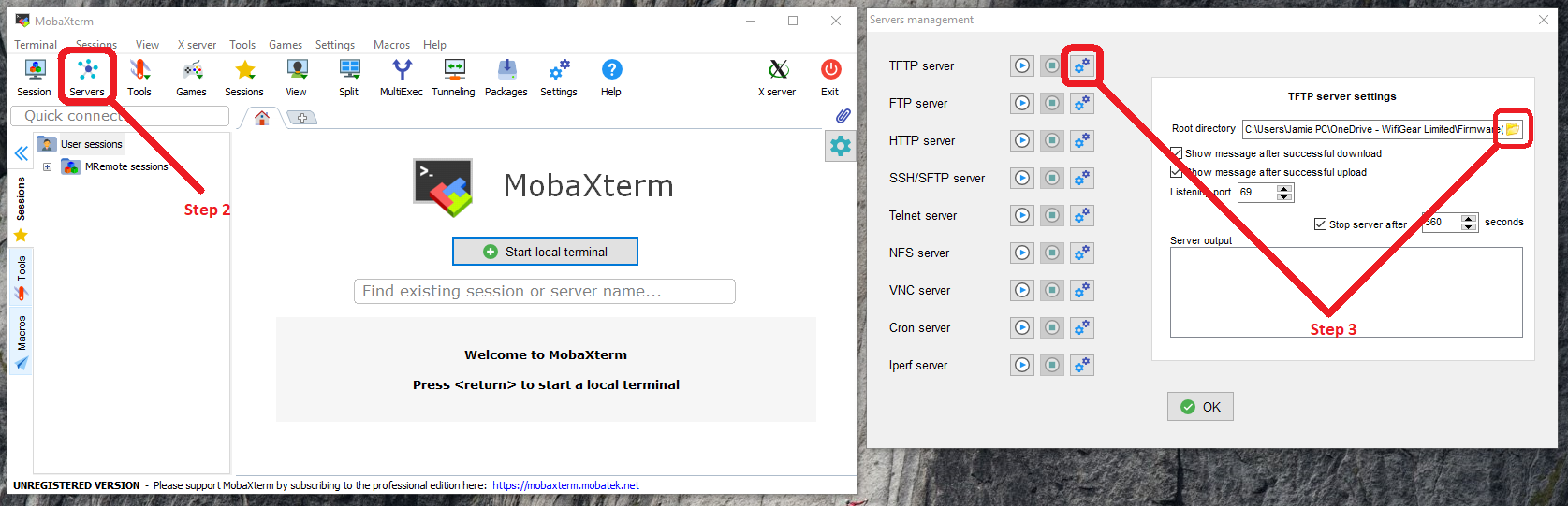
Step 2) Start up a TFTP Server. For this guide I will be using MobaXterm. Once running, click 'Servers'. A new page will load up.
Step 3) Click the 'Configuration' box under TFTP and select the file path of the firmware images
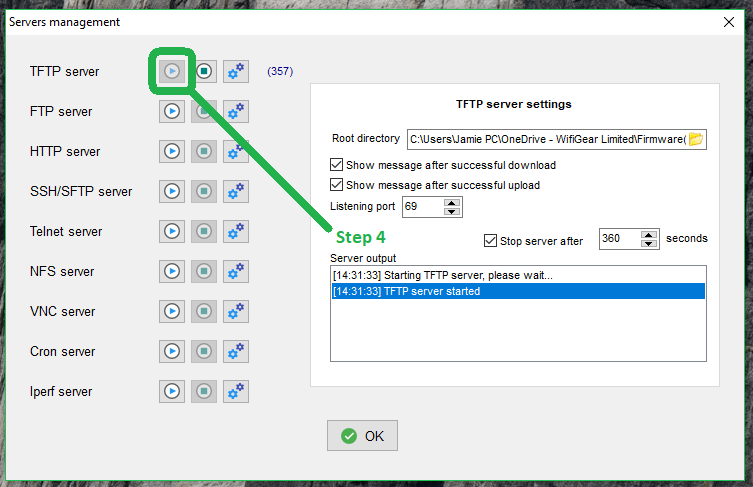
Step 4) Once the information has been entered correctly, start the server by clicking the 'Play' icon.
Be aware there is a default 360-second timeout in which to carry out the next steps before the TFTP server closes.
Step 5) Log in to the ICX Switch via web browser and browse to: TFTP > Image
You will need to enter the IP address of the server (in this case the computers IP address) and the **file name, including the extension.
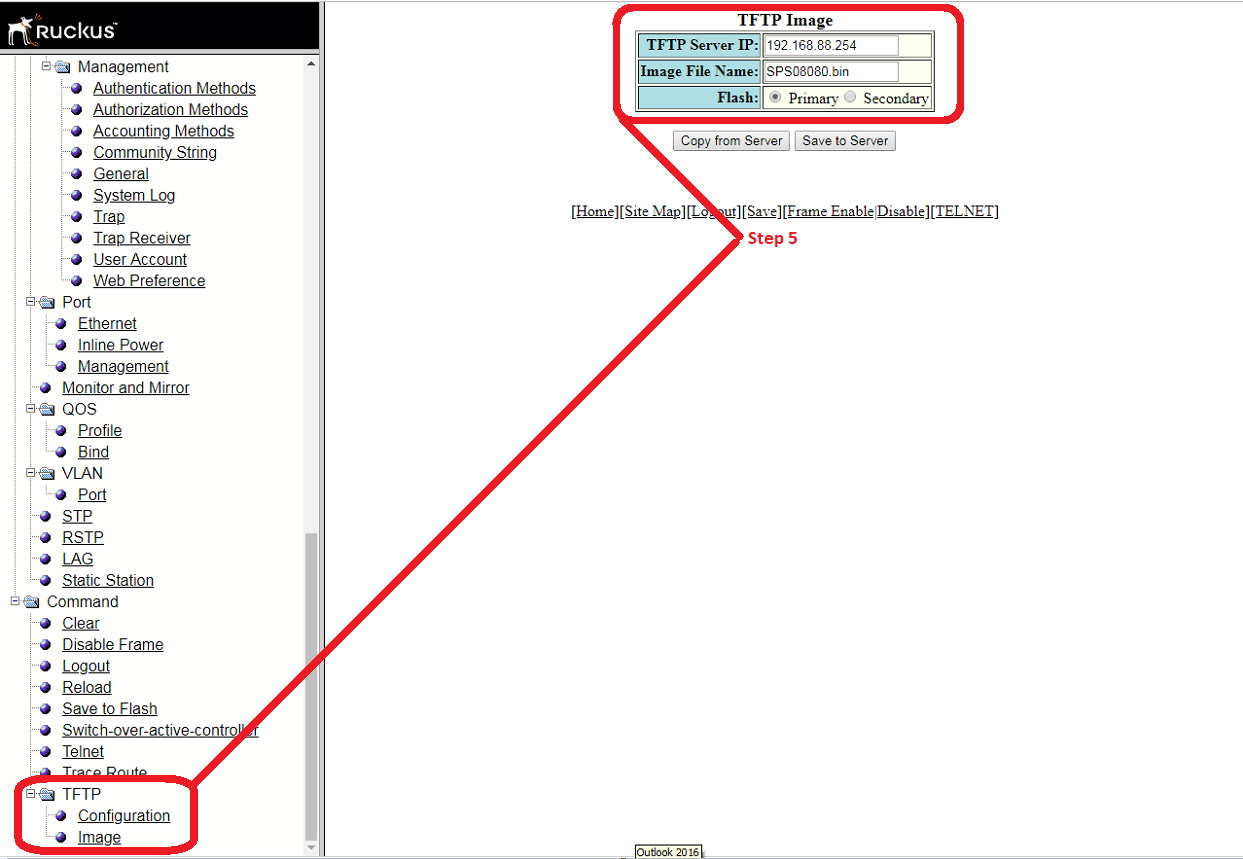
The file required will be under 'Images' and not 'Firmware'.
SPS - Switch
SPR - Router
Do not use the ufi.bin files, only use the .bin file types when uploading.
Step 6) On the web interface of the switch click 'Copy from Server'. If successful, the device should start the upgrading process.
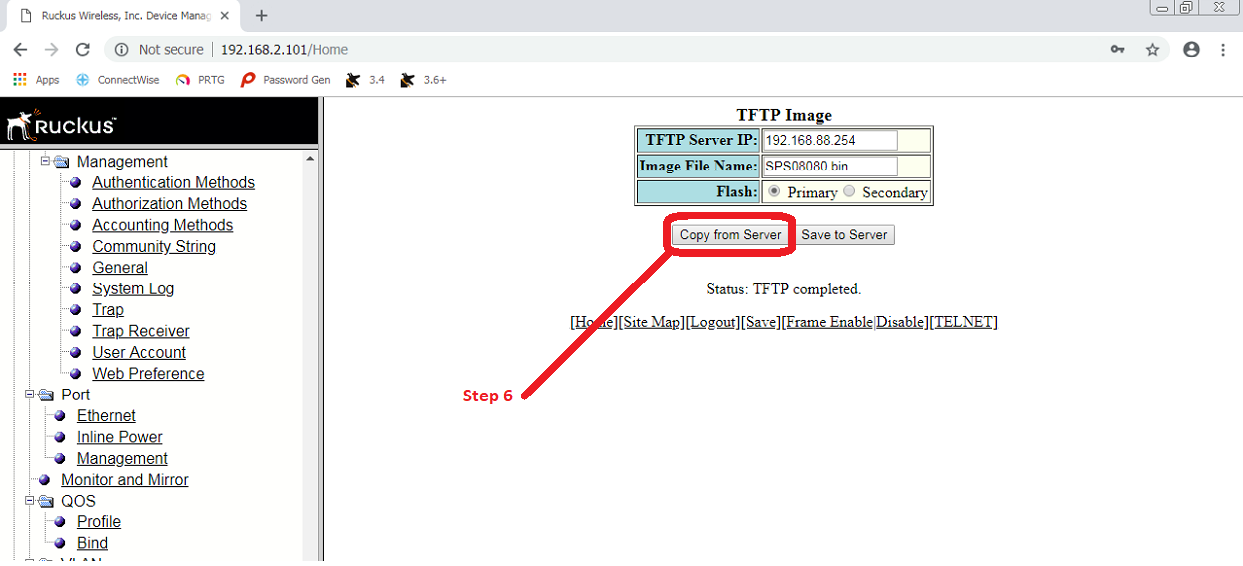
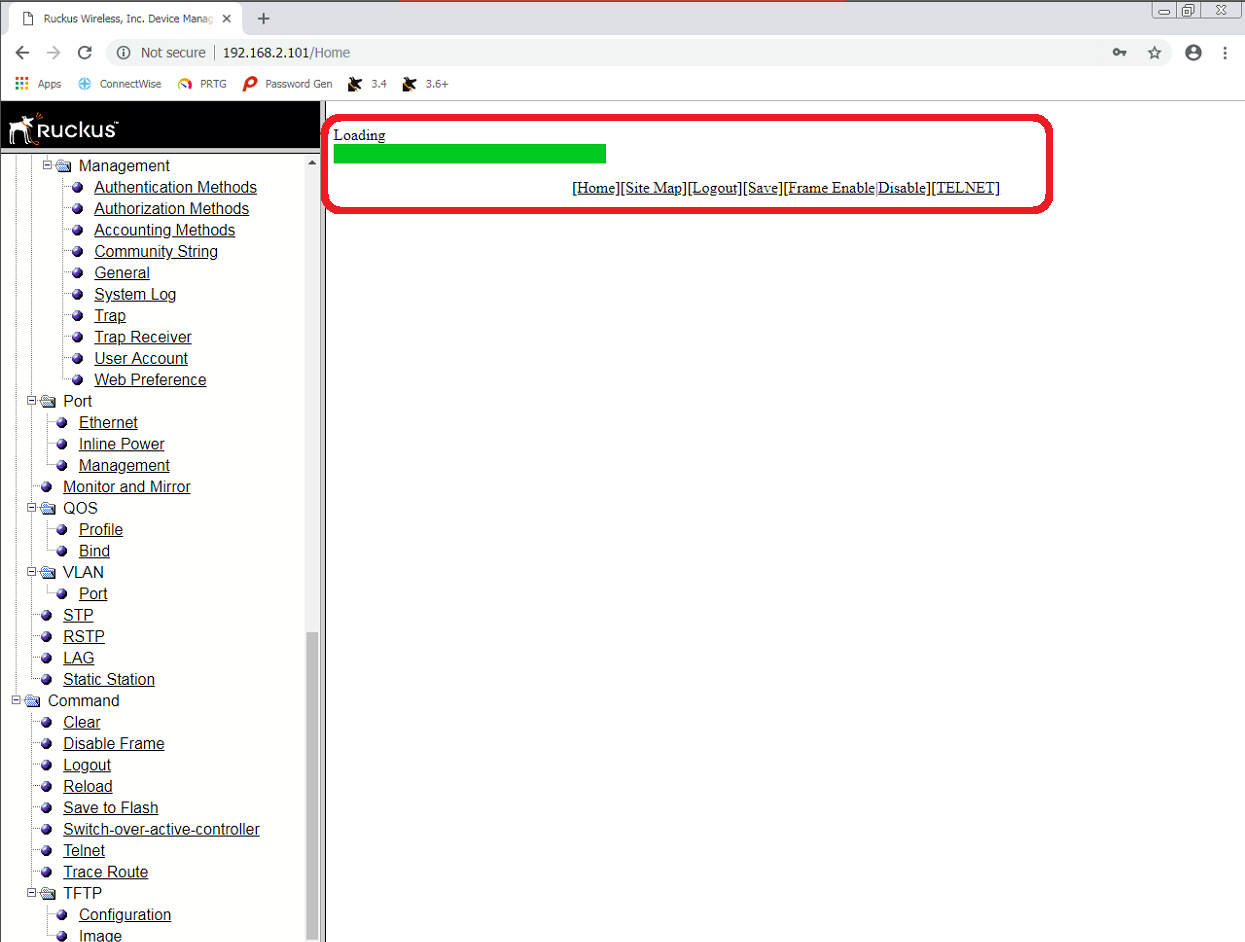
The GUI will then display a red processing bar, wait until this is complete.
You may refer back to the serial connection to monitor progress, it will take a couple of minutes to write the new firmware and restart.
Step 7) Reboot the device. On the web interface browse to: Command > Reload
Confirm with 'Yes' to reboot. Alternatively, perform a hard (physical) reboot.
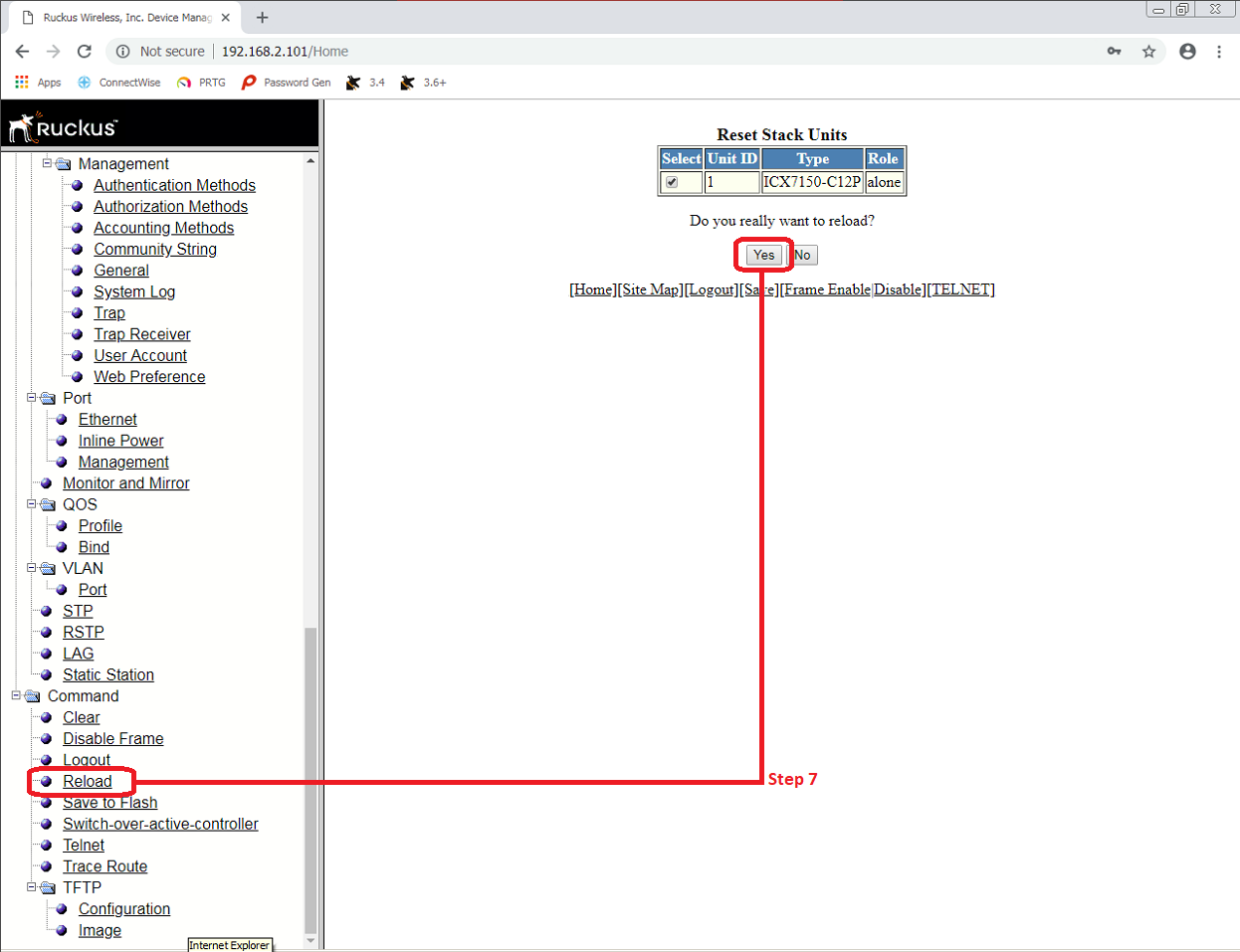
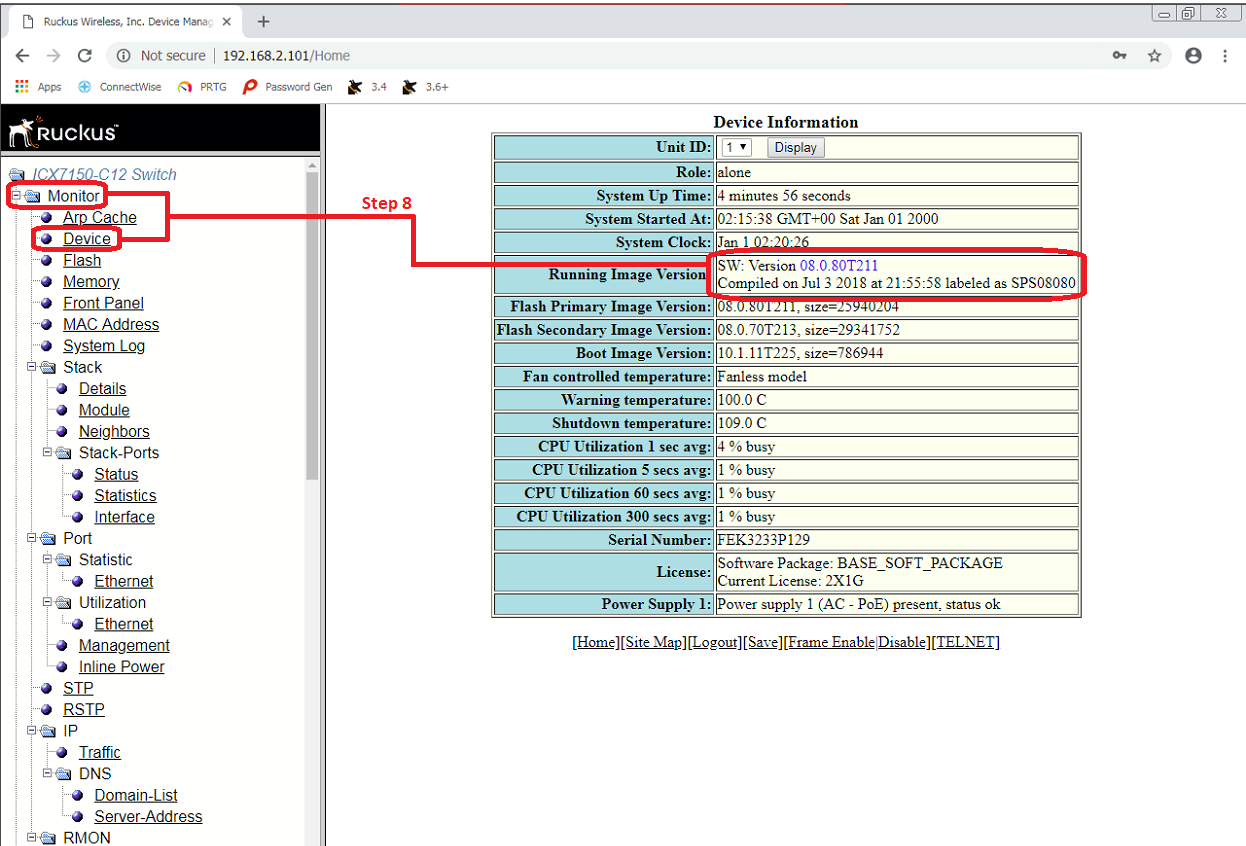
Step 8) Confirm firmware is upgraded by logging back in after the reboot.
- CLI command: show version
|
ICX7150-C12 Switch>show version Copyright (c) 2017 Ruckus Wireless, Inc. All rights reserved. UNIT 1: compiled on Jul 3 2018 at 21:55:58 labeled as SPS08080 (25940204 bytes) from Primary SPS08080.bin SW: Version 08.0.80T211 Compressed Boot-Monitor Image size = 786944, Version:10.1.11T225 (mnz10111) Compiled on Wed Dec 13 11:13:34 2017 HW: Stackable ICX7150-C12-POE ========================================================================== UNIT 1: SL 1: ICX7150-C12-2X1G POE 12-port Management Module Serial #:FEK3233P129 Software Package: BASE_SOFT_PACKAGE Current License: 2X1G P-ASIC 0: type B160, rev 11 Chip BCM56160_B0 ========================================================================== UNIT 1: SL 2: ICX7150-2X1GC 2-port 2G Module ========================================================================== UNIT 1: SL 3: ICX7150-2X10GF 2-port 20G Module ========================================================================== 1000 MHz ARM processor ARMv7 88 MHz bus 8192 KB boot flash memory 2048 MB code flash memory 1024 MB DRAM STACKID 1 system uptime is 58 second(s) The system started at 02:15:38 GMT+00 Sat Jan 01 2000 The system : started=warm start reloaded=by "reload" ========================================================================== ========== WARNING: Boot-monitor version mismatch!!! ========== ========== Please use "show boot-monitor" command for details ========== ========================================================================== |
- Web interface: Monitor> Device
No Comments