
When the Wi-Fi Works but Everything Is Slow
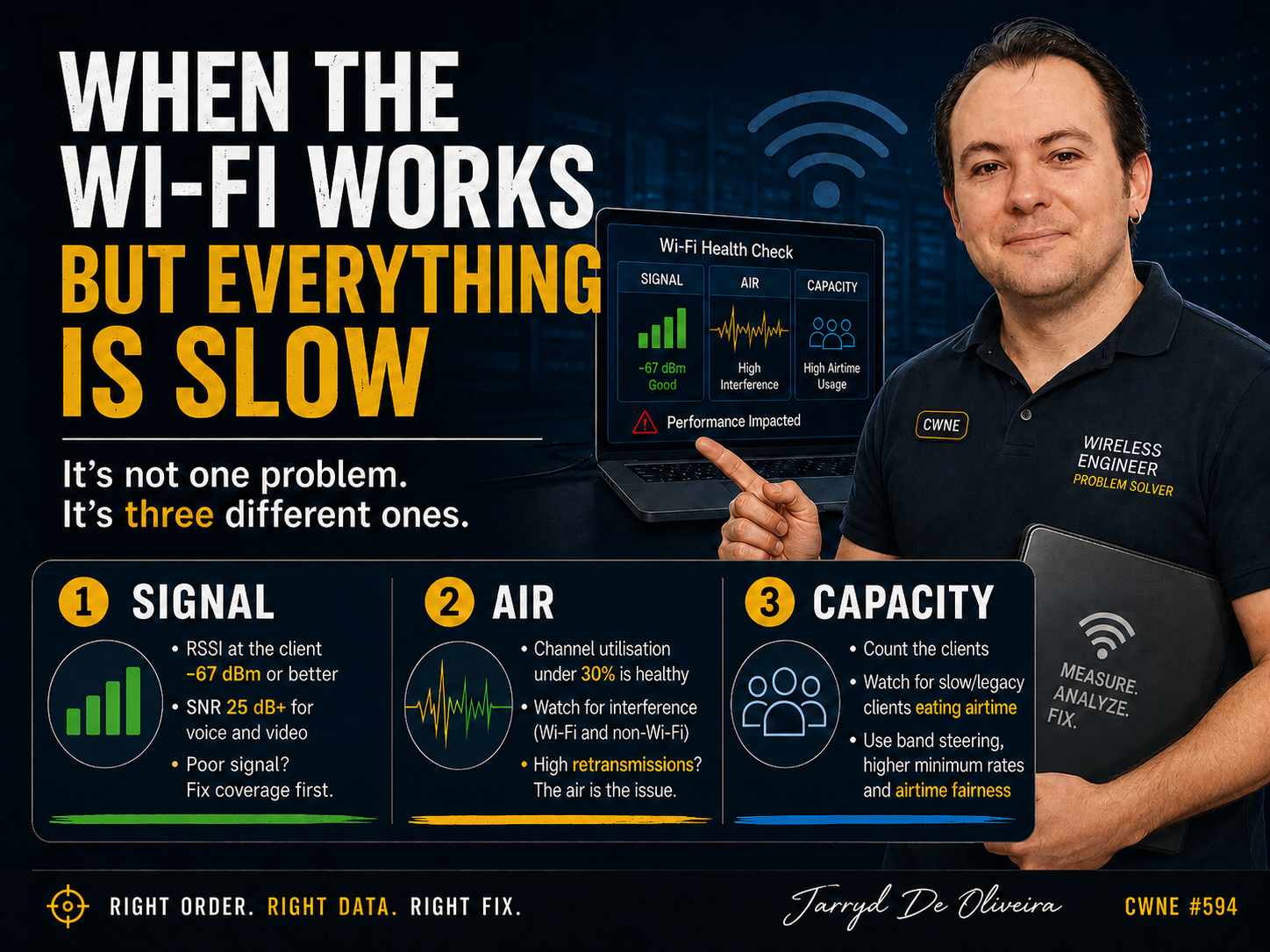
"Slow" is not a diagnosis. It is three different problems wearing the same description.
This is one of the most frustrating tickets to receive, and one of the easiest to mishandle.
The user is connected.
They have an IP address.
Authentication is fine.
Nothing is obviously broken.
It is just slow.
Or laggy.
Or it stutters at the worst possible moment on a video call.
"The Wi-Fi is slow" tells you almost nothing on its own.
There are at least three very different causes hiding behind that sentence, and the engineers who solve these tickets quickly are not guessing better than everyone else.
They are checking things in the right order.
That order is:
Signal first.
Then the air.
Then capacity.
Get the signal right. Then look at what else is using the channel. Then count how many devices are fighting over it.
Skip ahead and you can easily end up tuning capacity on a link that was never going to perform, because the signal was poor from the start.
Start with signal
Measure RSSI at the client, not just at the AP.
That distinction matters.
The AP's view of the client and the client's view of the AP are not always the same thing, and the client is the one trying to hold the video call.
As a working guide, -67 dBm or better is where you want to be for reliable data, voice, and video. Around -70 dBm is the usable edge. Below -75 dBm, expect problems.
At that point, stop blaming anything else until the signal has been checked properly.
But RSSI alone is not the whole story, and this is where a lot of troubleshooting stops too early.
Check the signal-to-noise ratio as well.
Aim for 25 dB or higher for voice and video. Treat 20 dB as the floor for solid data.
A high noise floor can wreck throughput even when the RSSI reading looks healthy, because the client cannot cleanly pull the signal out of the noise around it.
A strong signal sitting in a noisy band is still a slow link.
If the signal is genuinely good, move on to the air.
If it is poor, you have a coverage problem, and the answer is upstream of tuning. It could be a failed AP, an obstruction that was not there during the original design, a change in the environment, or a survey that needs doing properly.
You do not tune your way out of a coverage hole.
Then the air
A good signal into a congested channel is still a slow link.
So the next question is simple:
How busy is the air?
Look at channel utilisation on the AP.
Under 30 percent is generally healthy.
Between 30 and 50 percent is moderate and can start to bite.
Over 50 percent means real contention, with clients waiting for airtime and retries stacking up.
Two things commonly drive that congestion.
The first is co-channel interference.
Neighbouring APs sharing a channel politely take turns transmitting, and slow each other down in the process. In 2.4 GHz, this is often self-inflicted, and the fix is as old as the problem:
Use channels 1, 6, and 11 only.
Anything else overlaps its neighbours.
Yes, people still get this wrong in 2026.
The second is non-Wi-Fi interference, and utilisation graphs will not always tell the full story.
Microwaves.
Bluetooth.
DECT phones.
Video senders.
Radar.
All of it can raise the noise floor without appearing as normal Wi-Fi traffic.
This is where a spectrum analyser earns its money.
It is the difference between saying, "The channel is busy with Wi-Fi," and saying, "Something in the environment is dumping energy into the band."
And here is one of the most useful tells in the whole exercise:
Retransmissions.
Even with a strong signal and a quiet-looking channel, a high retry percentage means the air is the problem. Frames are not getting through cleanly the first time, and every retry consumes airtime that nobody else can use.
When RSSI looks fine but throughput does not, the retry count is often where the truth is hiding.
Then capacity
Signal is good.
The air is clean.
Now the problem is about sharing.
Start by counting the associated clients on the radio.
But the number alone does not tell the whole story. You also need to understand what kind of medium Wi-Fi actually is.
One legacy or poorly connected device transmitting at a low data rate can consume a disproportionate amount of airtime. While that client is talking, everyone else has to wait.
A single slow client can genuinely degrade the experience for the rest of the cell.
Not metaphorically.
Mechanically.
The fix is the same cell-sizing lever from the roaming discussion.
Disable the lowest legacy data rates, so clients either connect at a reasonable rate or move to a better AP. That reclaims airtime across the cell.
Confirm band steering is actually working, so dual-band clients end up on 5 GHz or 6 GHz instead of piling into a crowded 2.4 GHz band.
And where the vendor supports it, enable airtime fairness, so one slow device cannot monopolise the radio at everyone else's expense.
The usual warning applies before you raise any rates:
Audit the estate first.
Some older scanners, sensors, printers, and handheld devices genuinely need lower rates to associate at all. A blanket minimum data rate change can quietly knock them off the network.
The goal is to reclaim airtime, not create a new outage.
Final Thoughts
"Slow" is not one problem.
It is three problems wearing the same description, and the order you investigate them in is what makes you fast or slow at solving it.
Fix the signal first, because nothing downstream matters on a weak or noisy link.
Then look at what is using the air, and let the retransmission rate tell you when the channel itself is the issue.
Only then start counting clients and reclaiming airtime.
Work it in that sequence and "the Wi-Fi is slow" stops being a vague complaint and becomes a measurement you can act on.
Which, when you strip everything else away, is the whole job.
This is part of an ongoing wireless troubleshooting series, building on the opening piece on triage: scope the problem first, then work the layer the symptom actually points at.