
The Problem Next Door: Designing Wi-Fi for Multi-Tenant Buildings
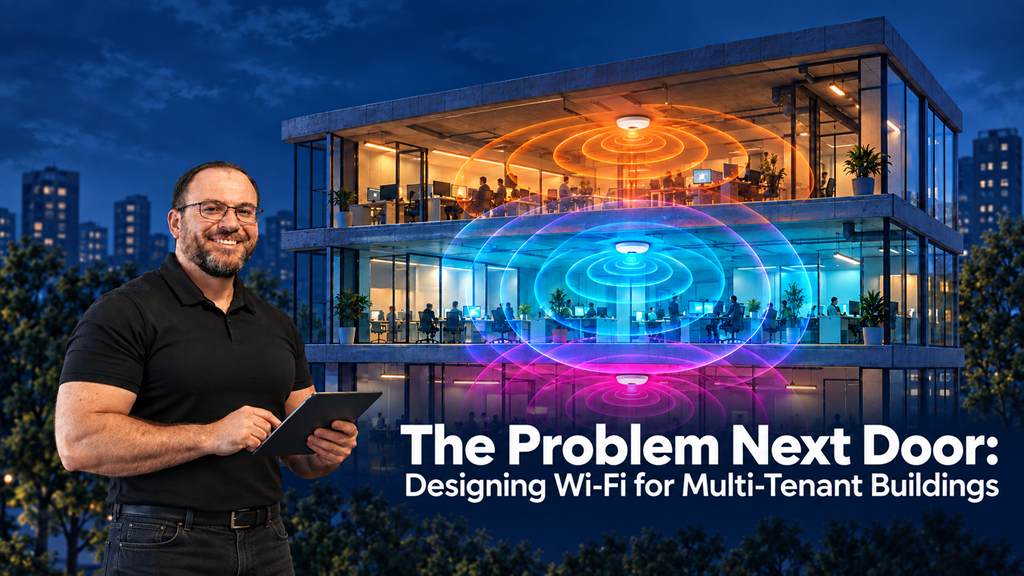
You can get your own network right and still spend much of your airtime waiting for someone else's.
Every building in this series so far has had one thing in common.
You were in charge of the network.
The school, the hotel, the hospital, the warehouse and the stadium all presented difficult constraints, but the access points in the building were yours. You chose the channels. You set the power. You decided what went where.
A multi-tenant building takes that away.
The tenant upstairs. The firm across the corridor. The co-working operator two floors down. The landlord's reception network in the lobby.
That is the constraint that decides the design here.
Your biggest RF problem may belong to someone else.
Airtime does not care whose access point it is
This is the fact everything else follows from.
Wi-Fi contention does not distinguish between your access points and your neighbour's. If a neighbouring network is operating on the same channel and its transmissions are strong enough for your devices to detect and defer to, it shares the airtime your own traffic needs.
Your clients wait while their clients transmit.
Their beacons consume airtime on your channel.
Their retries take another turn on the same channel.
And when devices cannot hear one another well enough to take turns properly, overlapping transmissions can result in failed frames and yet more retries.
So a design that is perfect within your own leased space can still perform poorly, because a large part of the RF environment it lives in was never part of the design.
And unlike a coverage problem, you cannot fix it by simply adding more equipment.
More of your own access points on an already crowded channel simply add more contenders.
The environment changes without you touching anything
Most of the buildings in this series change on predictable cycles.
Stock levels. Timetables. Events.
Multi-tenant buildings change on a cycle you do not control and are rarely told about.
Tenants move out. Floors sit empty for months, then a new tenant fits out and installs a complete WLAN in a fortnight.
Each new network brings its own channel plan, its own transmit power and frequently its own automated radio management, all making decisions for their own network without a shared plan for the building.
The result is a building whose RF environment can shift significantly between one quarter and the next while your configuration stays exactly the same.
Which is why the classic multi-tenant ticket sounds like this:
"Nothing has changed, but the Wi-Fi keeps getting worse."
Nothing has changed on your side.
Plenty has changed next door.
Survey the neighbours, not just the space
A survey in a multi-tenant building has to measure more than your own coverage.
It has to record the RF you are inheriting.
Which foreign networks are visible from your floor?
Which channels are they using?
How strongly are they being received?
How many SSIDs are beaconing on each channel?
What does channel utilisation look like before your own network carries any meaningful load?
Count what is there, but measure what it is doing.
A long list of neighbouring BSSIDs is not the same as a busy channel. One heavily used network can matter more than a dozen quiet ones.
And take those measurements during the hours when the building is actually occupied.
Look beyond your own floor plate too.
RF does not stop at the edge of your lease.
Floor construction, glazing, open atria and shared risers all affect how it travels between spaces. Some routes attenuate it heavily. Others allow signals to reach much further than the floor plan suggests.
The tenant directly above or below you may contribute more to the RF environment than the one across the corridor.
Then treat that baseline as a document with a date on it.
If that sounds familiar, it is the same discipline as the warehouse article.
The environment you measured is a snapshot, and you need to know what it looked like on the day you measured it, because it is going to change.
Design defensively
You cannot control the networks around you, but you can design a network that tolerates them better and contributes less to the problem.
Smaller cells, where the channel plan supports them.
Place access points so clients have a good link to a nearby radio, then set power to suit the coverage you actually need.
That can improve link quality and reduce unnecessary overlap.
But adding APs without a workable channel reuse plan adds contention, and turning down an AP does not turn down every client.
A stronger connection does not give you permission to ignore a busy channel.
Narrower channels help too.
Wide channels in a crowded 5 GHz environment overlap with more of your neighbours and leave you fewer clean options.
Narrower channels give you more choices and reduce how much spectrum each BSS occupies.
Use 6 GHz where you can.
Where your region permits it and your client estate supports it, 6 GHz gives you additional spectrum and another place to serve capable clients.
How much spectrum is available, what operating modes are permitted and how busy it is will depend on the country and the building.
Survey it too.
Keep your SSID count low.
Extra SSIDs add management overhead, particularly where each has its own beacon.
Features such as Multiple BSSID can reduce that overhead, but they are not a reason to broadcast networks nobody needs.
In a building already sharing airtime with several organisations, keep your own contribution disciplined.
Raise minimum data rates where your estate allows.
Disabling low legacy rates can reduce the airtime consumed by management traffic transmitted at those rates.
Validate coverage, roaming and device support before making the change.
Higher rates do not stop your RF travelling through the wall, and they do not make neighbouring transmissions disappear.
Be careful with automated channel management.
Dynamic channel selection can help a network adapt as neighbours arrive and leave.
But in a dense multi-tenant building, several independently managed WLANs may all be making channel decisions based on the same changing RF environment.
The result can be channel changes that are difficult to predict across the building.
Whether you allow the system to adapt freely, slow the rate of change, or plan statically and review periodically, make it a deliberate choice rather than a default.
Be a good neighbour, because you are someone else's problem too
There is a symmetry here that is easy to forget.
To the tenant upstairs, you are the foreign network.
The same design choices that protect you also reduce the impact you have on them:
Sensible power.
Controlled cell sizes.
Narrower channels.
Fewer SSIDs.
Less unnecessary RF spilling beyond the area you actually need to serve.
That matters practically, not just politely.
A building where every tenant shouts at maximum power on wide channels is worse for everyone.
A building where tenants design with some restraint is better for everyone, including you.
Never contain a neighbour
This deserves its own section, because the temptation is real.
Most enterprise platforms include wireless intrusion prevention features that can actively disrupt access points classified as rogue.
In a multi-tenant building, the system will see dozens of networks it does not recognise.
Being unfamiliar does not make them malicious.
Many will simply be your neighbours' legitimate networks.
Deliberately disrupting another organisation's wireless network is not a design technique.
It is also a quick way to turn a technical problem into a dispute with the people you share a building with.
Classify foreign networks properly.
Distinguish legitimate neighbours from unauthorised APs connected to your own wired network and from devices impersonating your service.
Monitor them.
Do not attack them.
Talk to the building
You cannot reconfigure your neighbour's network, but you are not entirely powerless either.
Most multi-tenant buildings have a landlord or managing agent, and many have shared infrastructure of their own:
Reception networks.
Lift lobbies.
Meeting suites.
Building management systems.
Common-area Wi-Fi.
That gives you a route.
A conversation through building management, armed with data rather than complaints, can achieve things that no amount of tuning on your side will.
Agreement on sensible power levels.
Avoiding unnecessarily wide channels in the most contested bands.
Some landlords take this seriously and coordinate wireless across the building.
Many do not until someone shows them the problem clearly.
Bring the evidence.
Channel maps, utilisation, foreign BSSID counts and how they have changed over time make the conversation about engineering rather than blame.
Co-working is a different shape of the same problem
Co-working spaces deserve a separate mention, because here the operator does own the network, but not the people on it.
Members arrive with their own devices, their own travel routers, printers that broadcast their own networks and phones running personal hotspots.
Each of those is another transmitter in a space that was already dense.
So the operator has two jobs.
The first is the familiar one:
Design for density, with small cells and disciplined channel planning.
The second is policy.
Make it clear what members may and may not bring and broadcast.
Give them a good enough network that they have no reason to run their own.
And give each member business its own private network rather than putting everyone on one flat guest network, for the same reasons covered in the hotel article.
That isolation does not need a separate SSID for every business.
The separation belongs in the access policy and network design, with access to shared printers and other services handled deliberately.
Membership churns constantly.
The design has to cope with a population that changes every month.
The network that got worse without changing
The site that taught me this was an office tenant on a middle floor of a shared building.
The design was sound and validated.
For the first few months it performed well.
Then the complaints started, and they kept growing quarter by quarter.
Nothing had changed in the configuration.
The access points were healthy.
Client counts had not grown.
The neighbour scans told the story.
When the network was installed, a handful of foreign networks were visible on the channels in use.
By the end of the year it was several dozen.
The floors above and below had been let, one of them to a co-working operator running wide channels at high power to cover an open-plan floor with as few access points as possible.
The tenant's configuration had not changed.
The RF environment around it had.
The fix was partly ours and partly theirs.
On our side:
Narrower channels.
Additional access points at lower power.
Moving capable clients onto 6 GHz.
On theirs:
A conversation through the managing agent, backed by the data, which led the operator above to reduce power and channel width.
Neither change alone would have been enough.
Monitor it, because it will move
A multi-tenant design is never really finished, because the building around it never stops changing.
So build monitoring into the handover.
Track foreign networks over time, not just your own.
Watch channel utilisation alongside your own traffic, retries and client performance.
High utilisation with modest traffic of your own is a reason to investigate.
It can point to neighbouring Wi-Fi, but your own inefficient transmissions or non-Wi-Fi interference may also be involved.
Note when problems started and compare that against what changed around the building.
A new tenant?
A new co-working floor?
A refurbishment?
Then check whether the measurements support the connection.
Agree a trigger for review:
A new tenant fitting out above, below or alongside.
A sustained rise in channel utilisation.
Increased retries.
A measurable drop in client performance.
A rise in user-visible problems.
And keep the original baseline.
Because the most useful thing you can show anyone in a multi-tenant building is what the environment looked like before it changed.
Final Thoughts
Every environment in this series has had a constraint that decides the design.
In a multi-tenant building, that constraint is ownership.
You control your network.
You do not control the RF environment it lives in.
So survey the neighbours as well as your own space, and date the result.
Design defensively, with smaller cells, narrower channels, fewer SSIDs and 6 GHz where you can.
Be a good neighbour, because you are consuming someone else's airtime too.
Never contain a network that is not yours.
Use the building to start the conversations you cannot have through configuration.
And monitor what changes, because the problem next door will move in without asking.
This is part of a series on designing wireless for real environments, where the constraint that dominates the building decides the design.
Jarryd De Oliveira, CWNE #594