Your Warehouse Wi-Fi Is Probably Broken. Here’s How to Fix It.
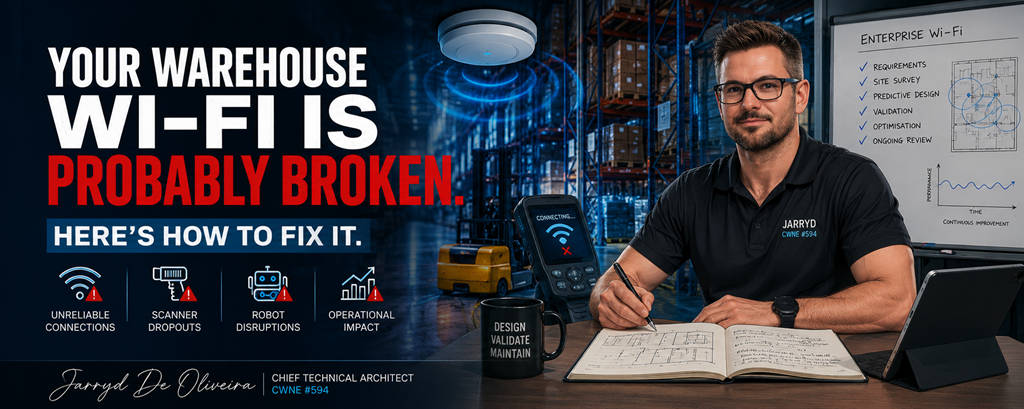
Published by Jarryd De Oliveira | Chief Technical Architect | CWNE #594
Most warehouse Wi-Fi problems don’t show themselves during deployment.
They show up at 6am on a Monday when scanners stop roaming properly, a forklift terminal disconnects mid-pick, or an AMR freezes halfway down an aisle while operations are trying to move product.
By the time the helpdesk starts getting flooded with calls, the issue has usually been building for months.
And the reality is simple.
Warehouse and manufacturing Wi-Fi is some of the most difficult wireless engineering you can do.
Yet many deployments are still treated like basic office Wi-Fi with bigger access points and higher ceilings.
That approach fails repeatedly.
The Environment Is Working Against You
Warehouses are brutal RF environments.
High ceilings.
Metal racking.
Moving forklifts.
Dense pallet storage.
Concrete walls.
Machinery.
Reflective surfaces everywhere.
And unlike office environments, nothing stays consistent for long.
One week you have open aisles with predictable RF propagation.
The next week those same aisles are packed floor-to-ceiling with liquid stock, paper products, or shrink-wrapped inventory introducing massive attenuation changes across the environment.
That matters.
Because Wi-Fi designs built around “best case” propagation usually collapse the moment the warehouse reaches operational capacity.
The network has to work in real operational conditions, not just during an empty-site survey.
Then you add the things many designs still overlook completely.
LED lighting systems introducing interference.
Industrial machinery generating electromagnetic noise.
Conveyor systems.
Robotics traffic.
IoT sensors.
Bluetooth devices.
Handheld scanners constantly roaming between aisles.
All of it contributes to airtime contention and RF instability if the design is not properly engineered.
Mezzanine Floors Change Everything
Mezzanine environments are where a lot of warehouse designs quietly fall apart.
Steel grating, reinforced concrete, structural steelwork, storage cages, and varying ceiling heights create completely different RF behaviour above and below the mezzanine itself.
Ground-floor APs rarely provide reliable mezz coverage.
Mezz-mounted APs often overserve downward into the warehouse floor.
Now you suddenly have vertical RF overlap, co-channel interference, and roaming behaviour that becomes inconsistent depending on device location.
The fix is usually not “more APs.”
It’s designing each layer independently.
The warehouse floor, mezzanine levels, offices, welfare spaces, and loading areas all have different requirements and should be treated as separate RF environments sharing the same infrastructure.
That distinction matters more than most people realise.
Your Biggest Problem Is Probably the Oldest Device
This is the part many projects get wrong.
Everyone gets excited about designing for the newest robotics platform or autonomous vehicle system.
But the device that normally causes the biggest operational problems is the one nobody talks about.
The old barcode scanner.
Warehouses are full of legacy handhelds and mobile terminals running aging Wi-Fi chipsets with terrible roaming logic, poor receiver sensitivity, and limited support for modern wireless features.
These become your Least Capable, Most Important devices.
And if they fail, operations fail with them.
The WMS loses visibility.
Picking slows down.
Loading bays stop flowing properly.
Users start blaming “the Wi-Fi.”
So the network has to be designed around those devices first.
That means:
-
Proper minimum basic rates
-
Strong secondary coverage
-
Predictable roaming behaviour
-
Controlled cell sizing
-
Careful channel planning
-
Avoiding unnecessary co-channel interference
Designing purely around your newest devices while hoping the legacy fleet survives is one of the fastest ways to create instability in a warehouse environment.
Design First. Validate Properly. Then Deploy.
One of the most expensive mistakes in warehouse Wi-Fi is skipping proper design and validation.
Throwing APs onto a ceiling grid and hoping for the best almost always ends in a redesign later.
A proper deployment starts with predictive modelling.
Not guesswork.
You need:
-
Accurate floor plans
-
Realistic attenuation values
-
Correct mounting heights
-
Inventory-aware modelling
-
Defined coverage requirements
-
Capacity planning by operational zone
-
Roaming considerations for mobile devices
-
Antenna selection based on aisle geometry
Directional antennas often become critical in long-aisle warehouse designs because they allow you to control RF propagation instead of flooding adjacent aisles unnecessarily.
And this is where proper tooling matters.
Platforms like Ekahau AI Pro allow engineers to model changing warehouse states, validate AP-on-a-Stick placements, and predict how RF behaves before cable installation even starts.
But predictive design alone is never enough.
The validation survey is where reality meets theory.
Because the real environment always differs from the model.
A post-installation survey identifies:
-
Coverage gaps
-
Unexpected attenuation
-
Interference sources
-
Poor antenna positioning
-
Roaming instability
-
Channel overlap
-
Capacity bottlenecks
Those issues are manageable during validation.
They become expensive operational problems after project sign-off.
More APs Does Not Mean Better Wi-Fi
This one still causes problems across the industry.
Poor performance gets reported.
Someone responds by adding more APs.
Now the environment has even more overlapping RF, more contention, more co-channel interference, and even less stable roaming behaviour.
The clients perform worse than before.
Warehouse Wi-Fi is about control, not saturation.
A properly engineered RF environment usually performs better with fewer well-positioned APs than with excessive coverage density and uncontrolled overlap.
Good warehouse Wi-Fi is deliberate.
Not loud.
Wi-Fi Is Operational Infrastructure Now
Warehouses, logistics facilities, and manufacturing plants increasingly rely on wireless connectivity for core business operations.
Scanners.
Voice picking.
AMRs.
Industrial IoT.
Inventory systems.
Real-time telemetry.
Safety systems.
Wi-Fi is no longer a convenience layer.
It is operational infrastructure.
And the companies getting this right are the ones treating wireless engineering as a core operational discipline instead of a last-minute installation task.
Because when warehouse Wi-Fi is designed properly, users barely notice it.
When it’s designed badly, the entire facility notices immediately.
Final Thoughts
Warehouse Wi-Fi done properly is demanding engineering work.
It requires planning, validation, ongoing optimisation, and a strong understanding of how RF behaves in constantly changing industrial environments.
But when it’s done correctly, the network becomes something operations can trust rather than something they work around.
And in environments where uptime directly affects productivity, that difference matters more than ever.