Half Your Wi-Fi Tickets Aren't Actually Wi-Fi Problems
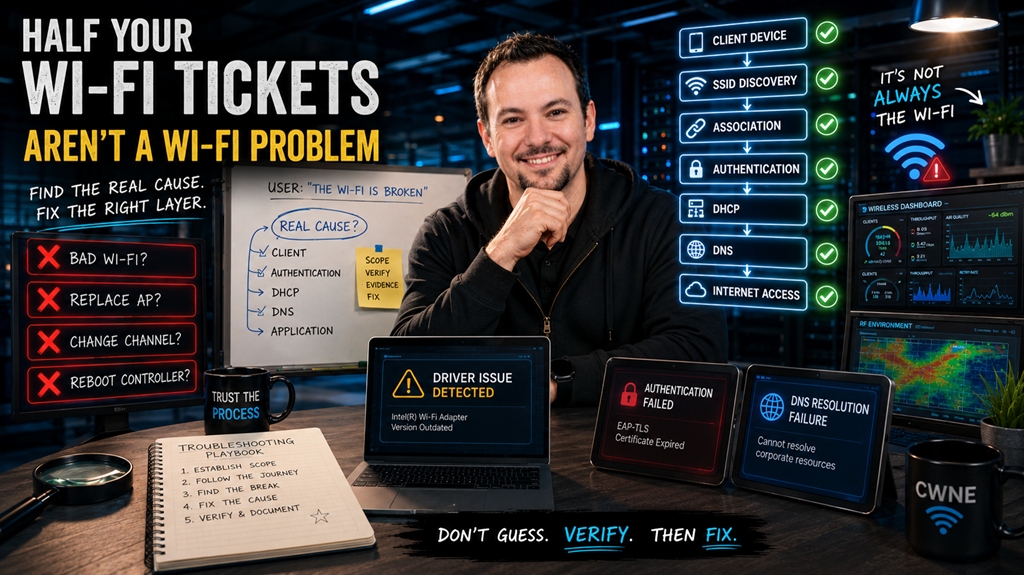
One of the most common phrases heard by IT teams is:
"The Wi-Fi is down."
It arrives through a support ticket, a phone call, or someone appearing at your desk looking frustrated because they can't get online.
The natural reaction is often to head straight for the wireless controller, check the access points, review channel utilisation, and start investigating the wireless infrastructure.
The problem is that many of these tickets have very little to do with Wi-Fi at all.
Over the years, whether working in warehouses, hospitals, hospitality venues, schools, offices, or large enterprise environments, I've found that one of the biggest troubleshooting mistakes engineers make is assuming the fault exists where the user experiences the symptom.
A user can't connect to the network.
That doesn't automatically make it a wireless problem.
The challenge is determining where the connection process is actually failing.
Good Troubleshooting Starts With Scope
Before looking at logs, packet captures, dashboards, or controller alarms, I always start with the same question:
Who is affected?
That single question often eliminates half the possible causes before you've logged into anything.
If one user on one device is experiencing an issue, the odds are heavily weighted towards the client itself.
If multiple users are affected in the same physical area, then the access point, switching infrastructure, power, or RF environment becomes a stronger possibility.
If users across an entire site are affected, attention quickly shifts towards shared services such as DHCP, DNS, authentication platforms, internet connectivity, or controller infrastructure.
The wider the impact, the higher up the infrastructure stack I tend to look.
The smaller the impact, the closer I start to the client.
It sounds simple, but it prevents countless hours being spent troubleshooting the wrong layer.
Follow The Connection Journey
A wireless connection is not a single event.
It is a sequence of processes that all need to succeed before the user can access resources.
A simplified version looks like this:
Client Device → SSID Discovery → Association → Authentication → DHCP → DNS → Network Access
When troubleshooting, I work through these stages one by one.
Can the client see the SSID?
Can it associate successfully?
Can it authenticate?
Does it receive an IP address?
Can it reach the default gateway?
Can it resolve DNS?
Can it access the required application?
The point where the process fails usually tells you exactly where the investigation needs to continue.
A device that authenticates successfully but never receives an IP address is not suffering from an RF issue.
A device that cannot even discover the SSID is unlikely to have a DHCP problem.
Understanding where the journey stops is often more valuable than understanding the symptom itself.
The Client Is Frequently The Culprit
This is sometimes an unpopular observation because infrastructure is often the first thing people want to blame.
In reality, many wireless support cases originate on the endpoint.
Driver issues.
Corrupted wireless profiles.
Operating system updates.
Security software.
Credential problems.
Certificate issues.
Supplicant misconfigurations.
I've lost count of the number of times an engineer has spent hours analysing access points and RF performance only to discover that the root cause was a stale driver or a broken wireless profile on the user's device.
That doesn't mean infrastructure faults don't happen.
They absolutely do.
But experience has taught me to eliminate the client early before assuming there is a wider network problem.
Not Every Dropout Is A Coverage Issue
Another common assumption is that devices disconnect because signal strength is poor.
Sometimes that's true.
Often it isn't.
Many disconnects occur because the client or infrastructure deliberately terminates the session.
Examples include:
-
Authentication failures
-
Group key updates
-
Roaming issues
-
Security policy enforcement
-
Certificate expiry
-
DHCP lease problems
-
Client driver instability
-
Band steering interactions
This is where logs become invaluable.
Wireless controllers, RADIUS servers, and packet captures can often reveal exactly why a client was disconnected.
Rather than guessing, the goal should always be to find evidence.
The reason codes are frequently telling you precisely what happened.
Simple Tests Can Save Hours
One of the most useful troubleshooting techniques is reducing complexity.
If you're trying to determine whether a problem relates to RF coverage, Layer 2 connectivity, or authentication, create a temporary test environment.
A simple open SSID can often answer questions in minutes that might otherwise take hours to investigate.
If the client connects immediately and functions normally, the wireless infrastructure is likely operating correctly and the investigation can focus on authentication and security.
If the client still cannot connect, attention shifts back towards coverage, RF conditions, or switching infrastructure.
Good troubleshooting is often about removing possibilities until only the real cause remains.
Engineering Discipline Beats Guesswork
The best wireless engineers I've worked alongside all share one characteristic.
They don't immediately start changing things.
They gather information first.
They establish scope.
They verify assumptions.
They follow a process.
They let evidence guide the investigation.
Wireless networks are complex systems involving RF, switching, routing, authentication, security, applications, and client devices.
The symptom may appear on Wi-Fi, but the root cause can exist almost anywhere along that path.
Understanding that distinction is often the difference between a twenty-minute fix and a two-hour troubleshooting session.
Final Thoughts
When someone says, "The Wi-Fi isn't working," resist the temptation to jump straight into the controller.
Start by understanding who is affected.
Understand where the connection process is failing.
Follow the client journey from beginning to end.
Most importantly, let evidence guide your decisions rather than assumptions.
The fastest engineers aren't necessarily the ones who know the most commands.
They're the ones who consistently look in the right place first.